
TikSave
Created:- 25 July 2023
Company: DevGurus - Viet Nam
Contact:- Codecanyon Profile
Thank you for purchasing the app. If you have any questions that are beyond the scope of this help file, please feel free to message me via my user page contact form Here. Thanks so much!
Which Android Studio version is needed?
Android Studio Chipmunk | 2021.2.1 Patch 2 version recommended
https://developer.android.com/studio/archive
How to Open The Project in Android Studio?
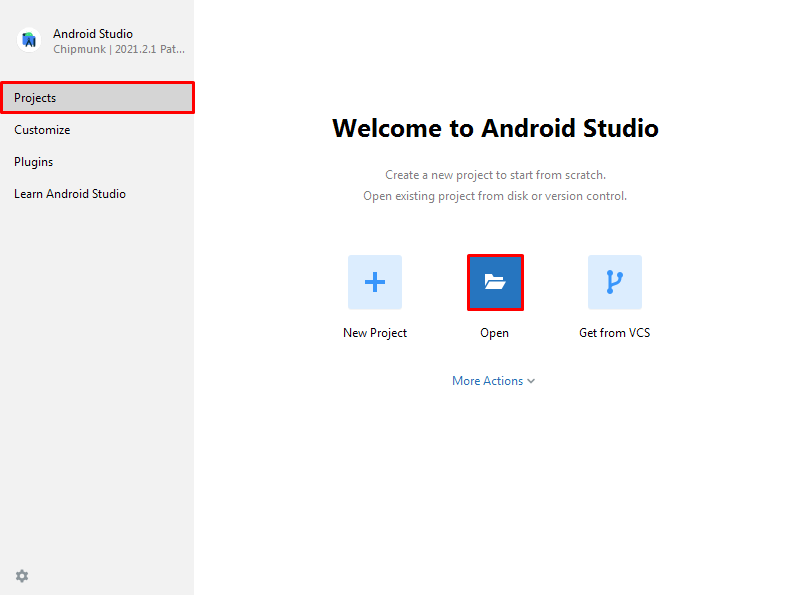
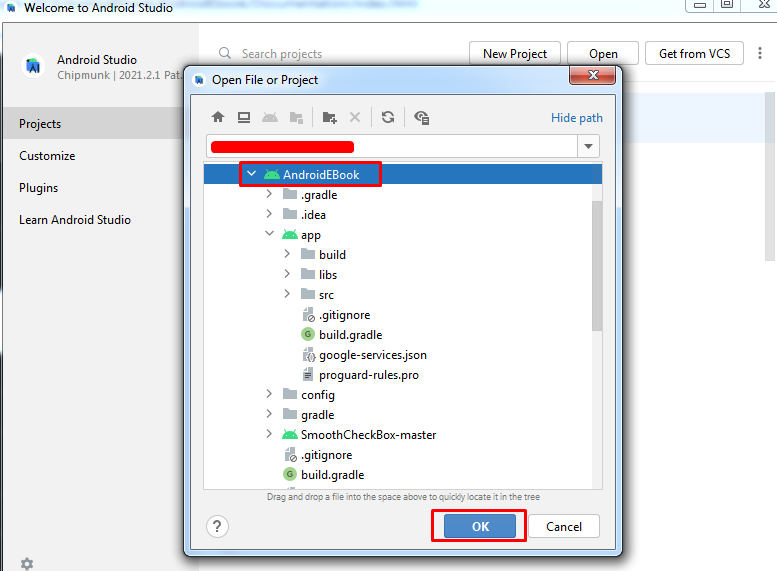
- Open Android Studio > Open an Existing Android Studio Project > Select Your Project build. gradle file > ok
- Select Project
How to change the package name?
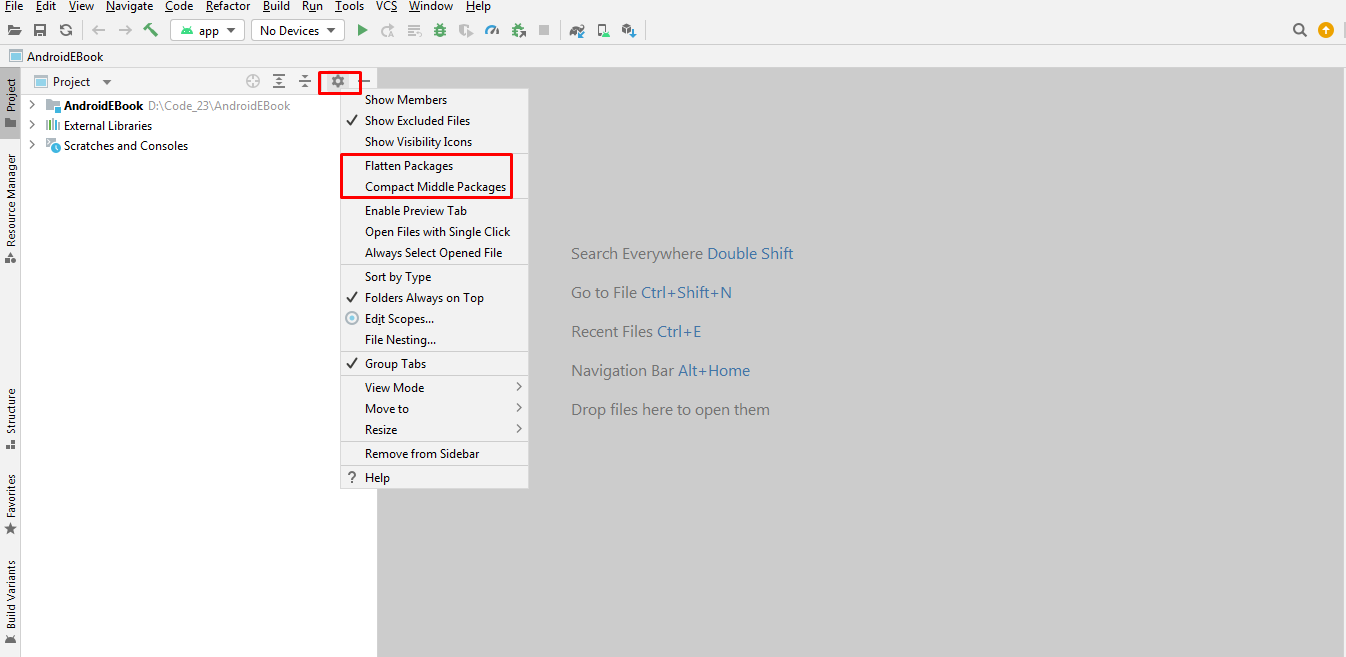
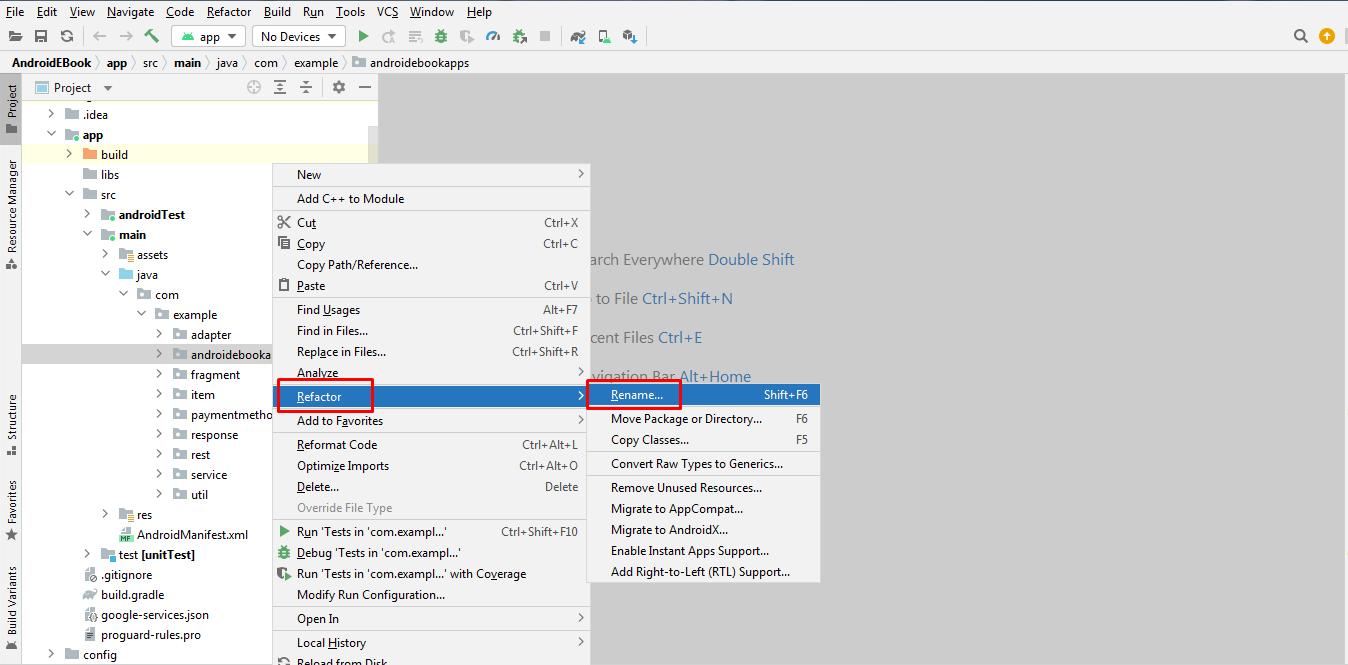
You can change it easily from Android Studio. Here are the steps:
- In the Project pane, click on the little gear icon.Uncheck/Deselect the Compact Empty Middle Packages option.
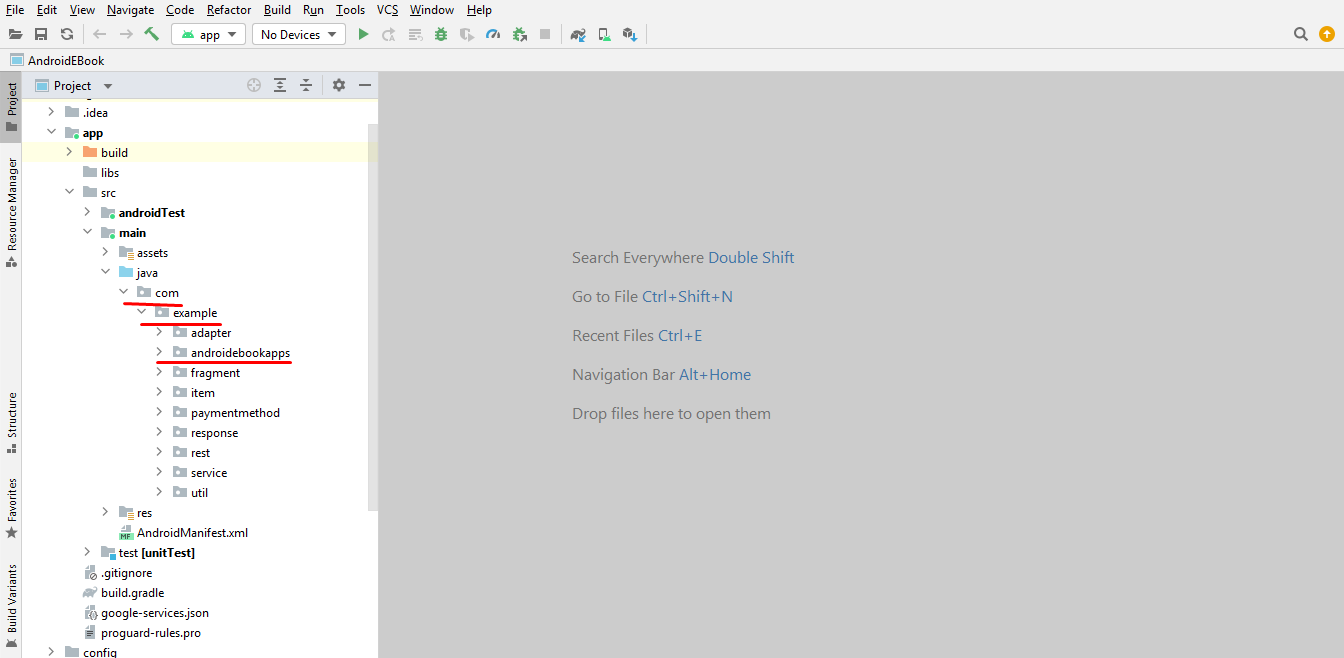
- Your package directory will now be broken up in individual directories.
- Individually select each directory you want to rename, and: Right-click itSelect RefactorClick on RenameIn the Pop-up dialog.
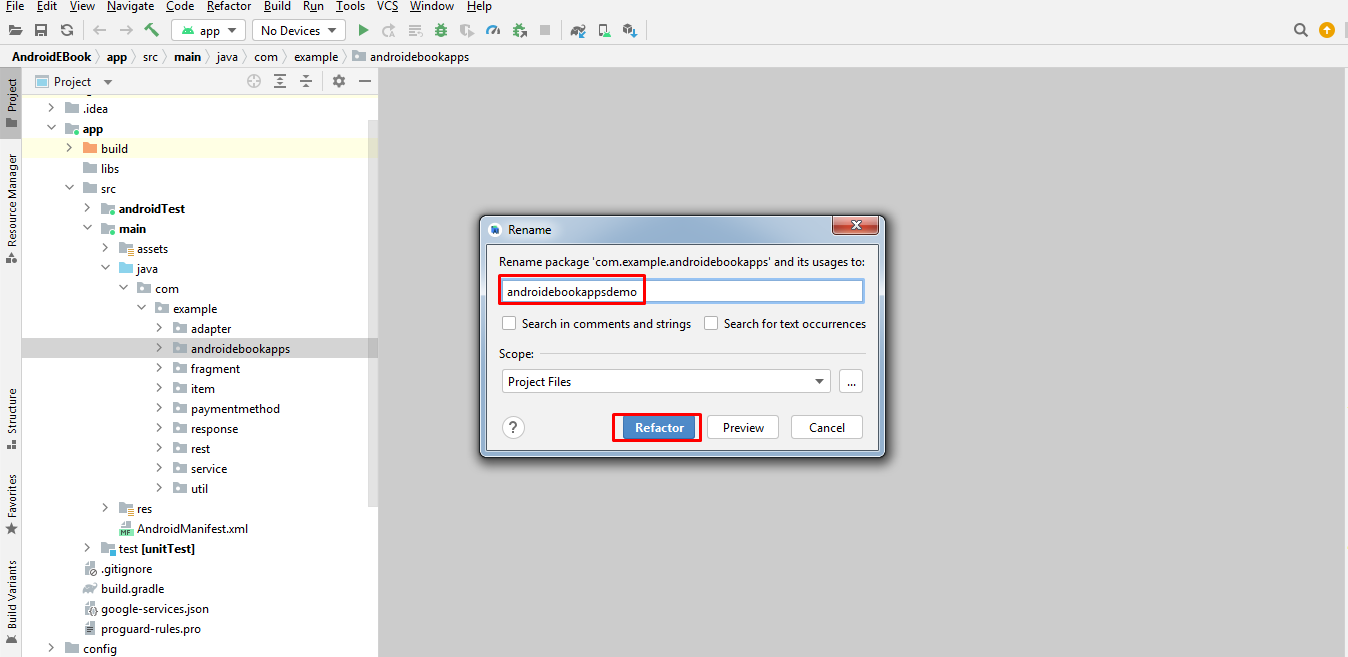
- Click on Rename Package instead of Rename Directory Enter the new name and hit RefactorAllow a minute to let Android Studio update all changes.
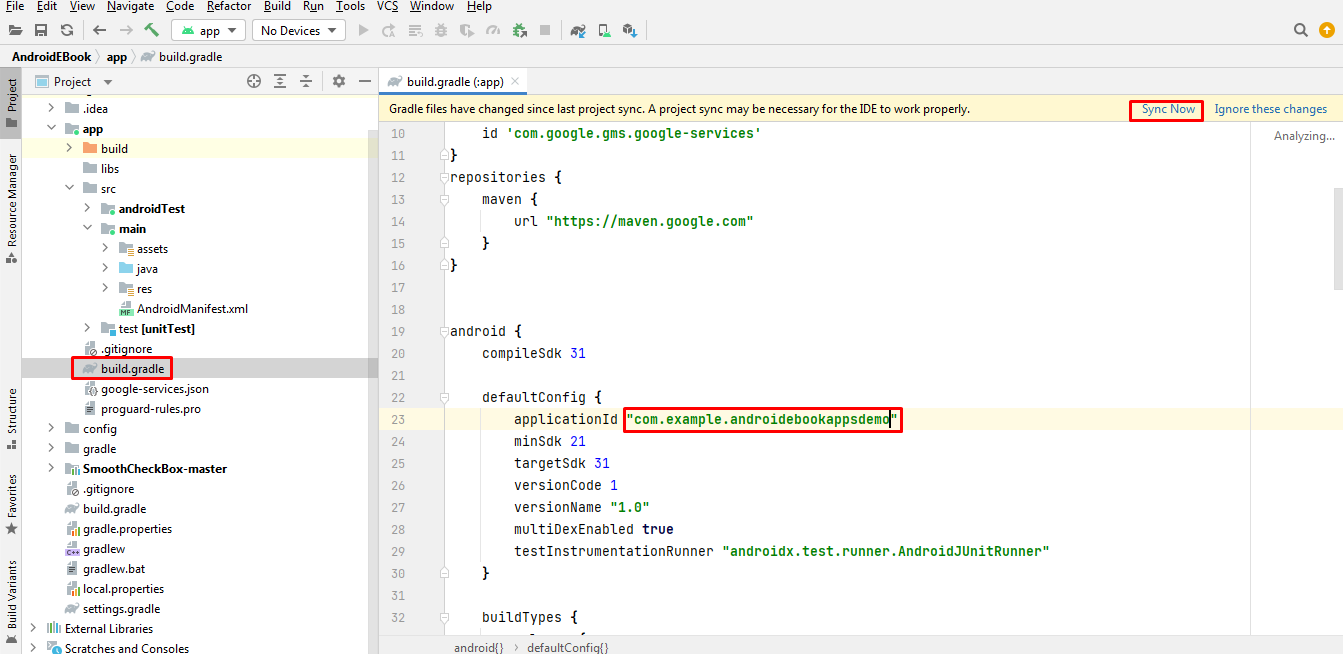
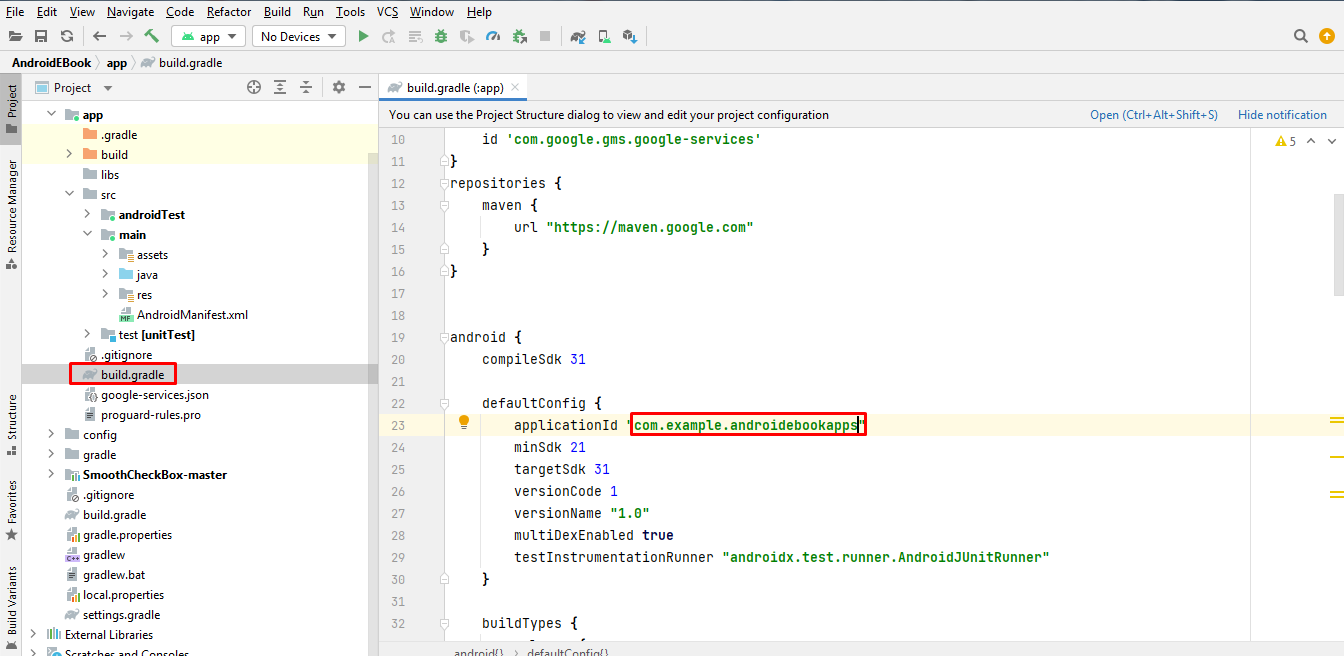
- Now open your build.gradle (Usually 'app' or 'mobile'). Update the applicationId to your Package Name and Sync Gradle, if it hasn't already been updated automatically.
Note: When renaming com in Android Studio, it might give a warning. In such case, select Rename All.
How to change app name?
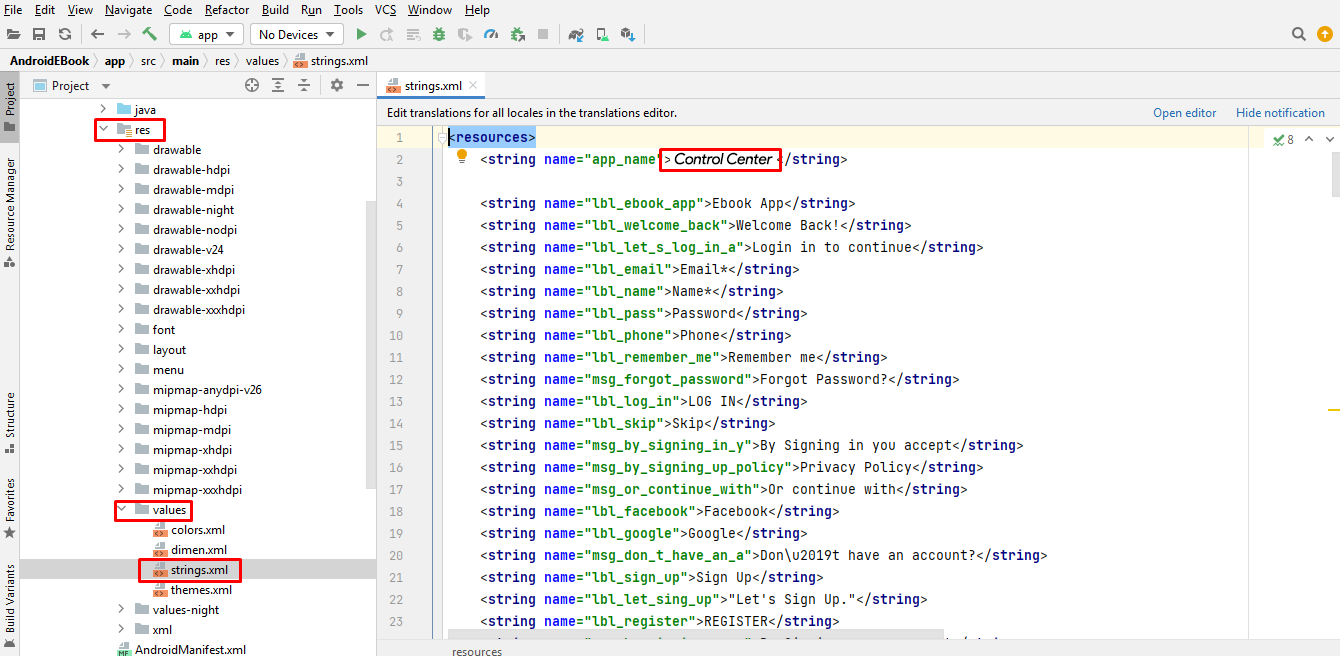
- Open Android Studio >WordReader > res > values > strings.xml
- Enter your app name inside "app_name" string tag:
<string name="app_name">WordReader</string>
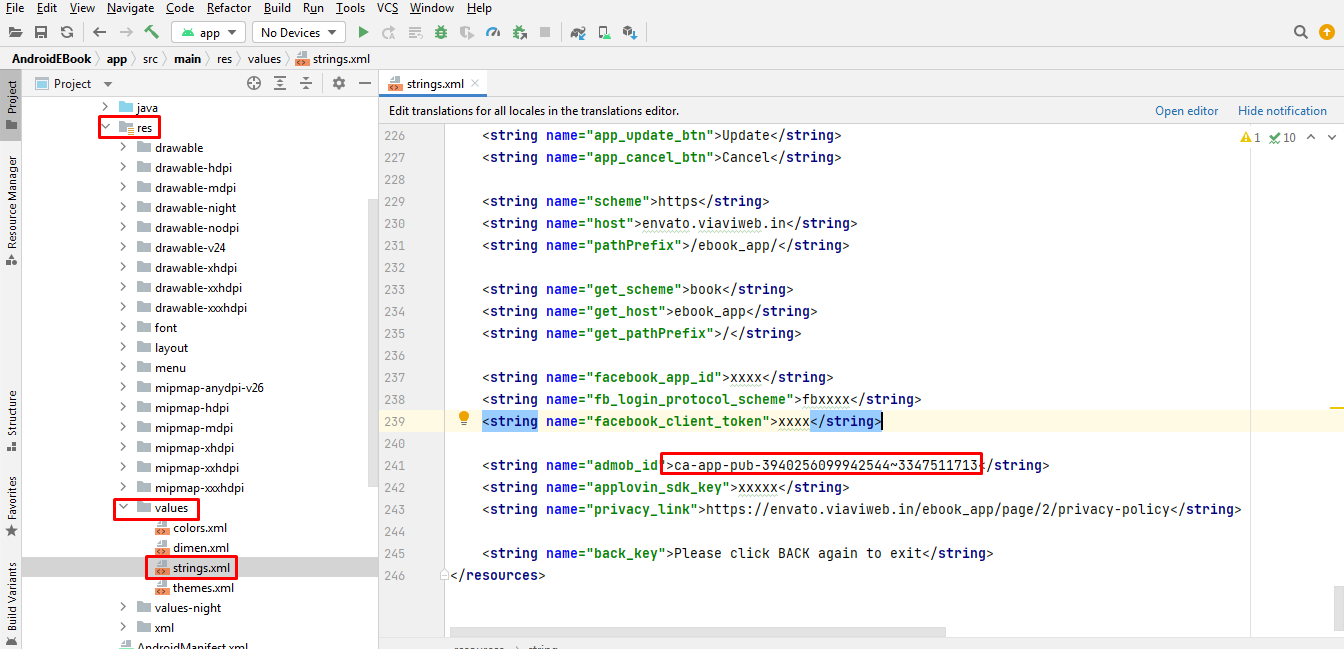
Where to put Admob app id in application ?
- Open Android Studio > app > res > values > strings.xml
- Enter your AdMob App id inside "admob_id" string tag:
<string name="admob_id">Your Admob App Id</string>
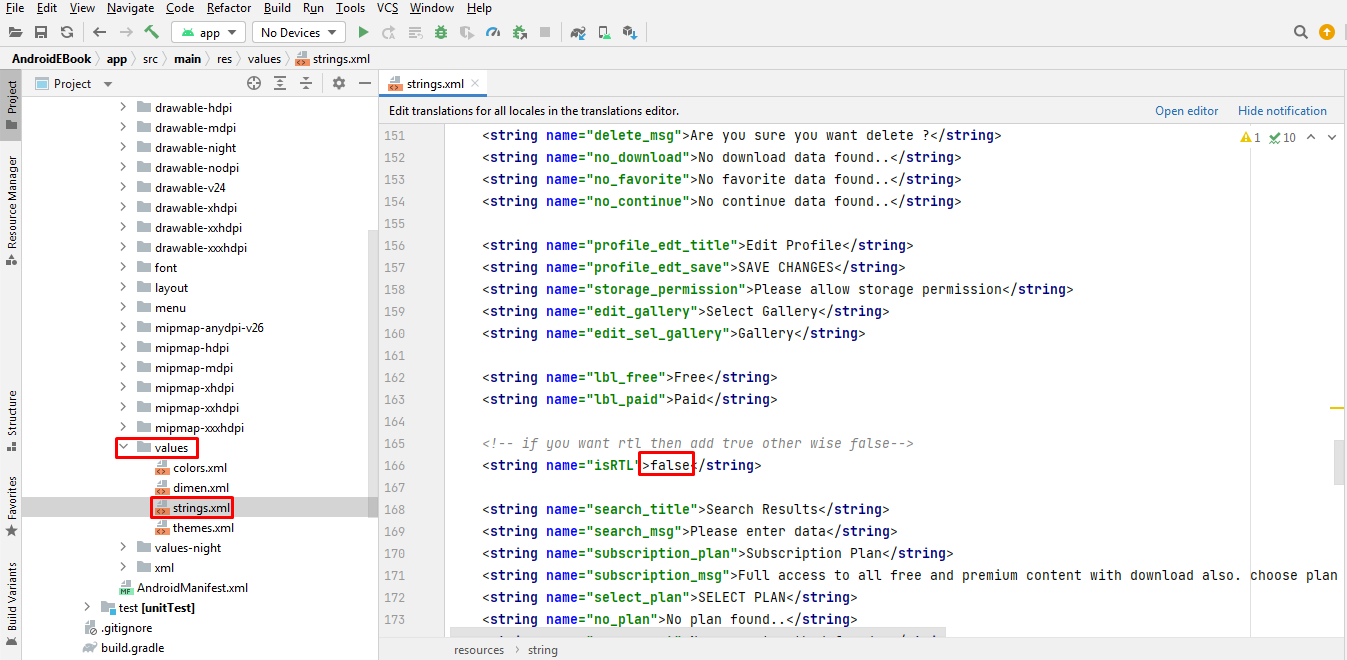
How to enable/disable RTL(Right To Left)?
- Open Android Studio > app > res > values > strings.xml
- Change isRTL to true if you want to enable or false if you want to disable
- Change all the text below in your language
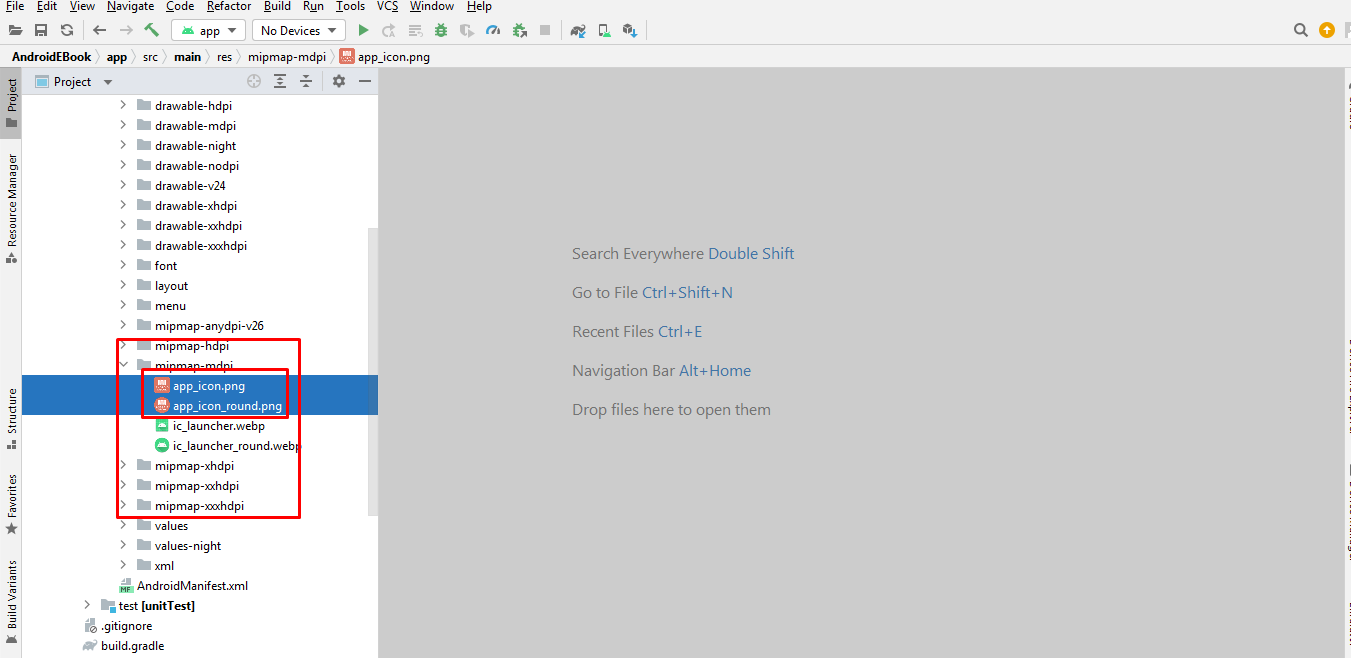
How to change 'Splash Screen, Application Icon and MoreApp link'?
How To Change Application Icon- Open Android Studio > app > res >
- Rename your icon with ic_launcher.png and ic_launcher_round.png paste in all mipmap folders
- Open Android Studio > app > res > drawable-nodpi > splash_screen.png or jpg
- Open Android Studio > app > res > drawable-night > splash_screen.png or jpg
- Rename your splash screen image with splash_screen.png or jpg and paste in drawable-nodpi and drawable-night folder
How to Find Package Name?
How to change app color ?
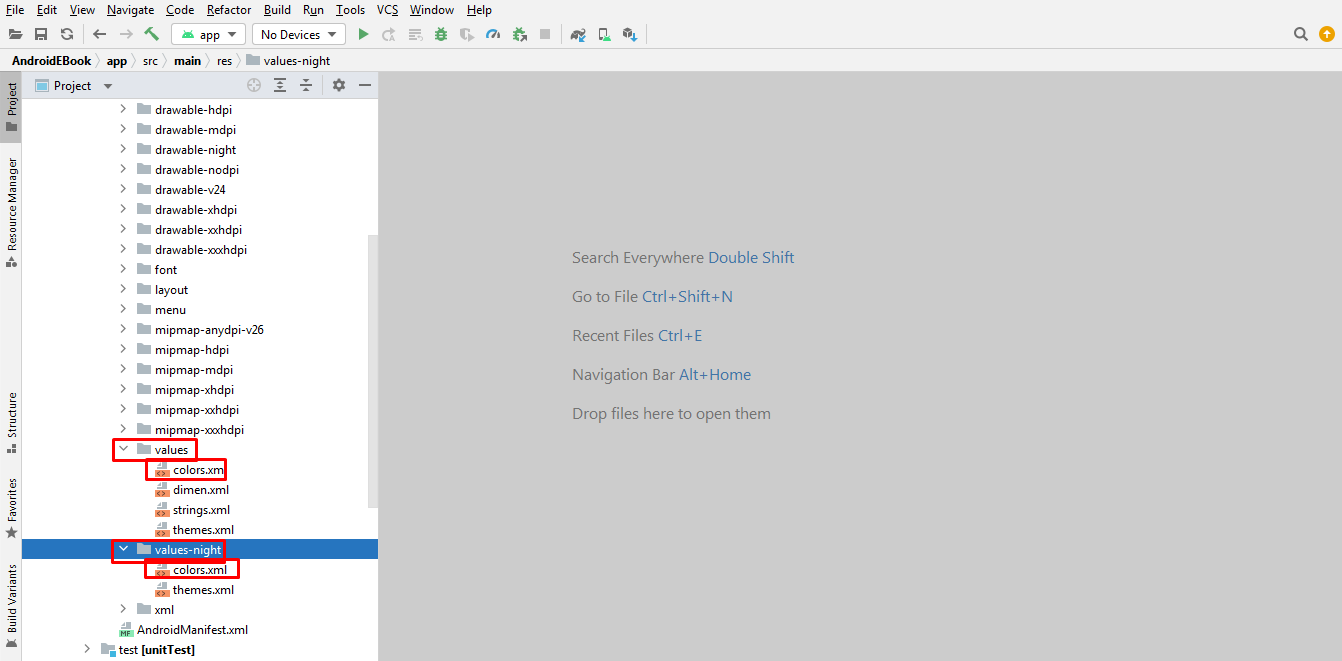
- Open Android Studio > app > src > main > res > values > colors.xml
- Open Android Studio > app > src > main > res > values-night > colors.xml
- values-night > colors.xml all color for night mode in this file
How to change app images ?
- Open Android Studio > app > src > main > res > drawable-night
- Open Android Studio > app > src > main > res > drawable-nodpi
- Open Android Studio > app > src > main > res > drawable
- drawable-night folder for all image for night mode
How to Generate Signed AAB?(For Reference)
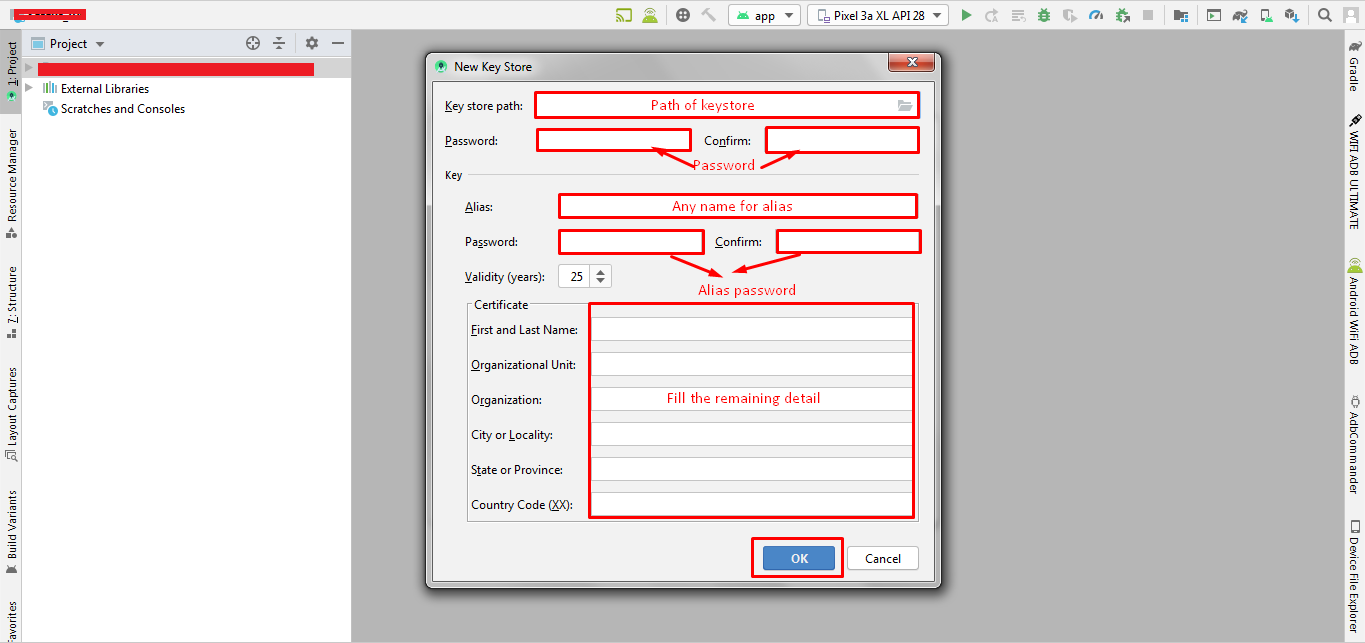
Create New Keystore
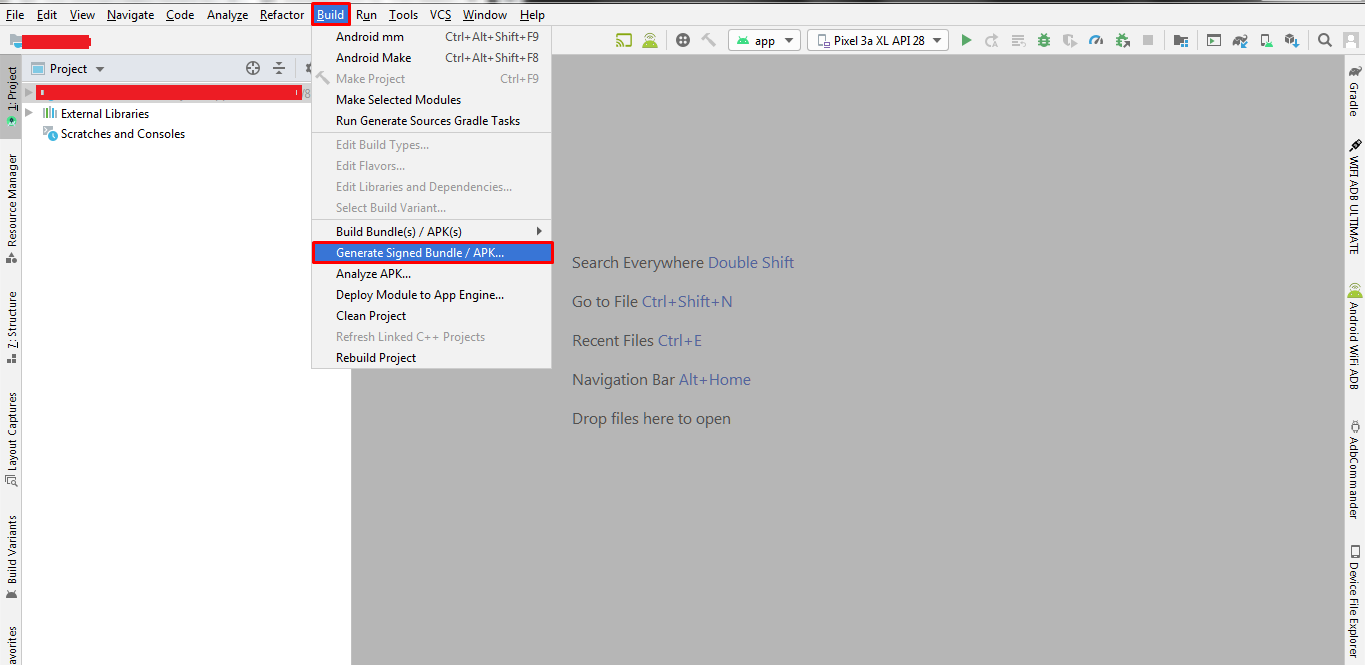
- Click Build > Generate Signed Bundle/APK
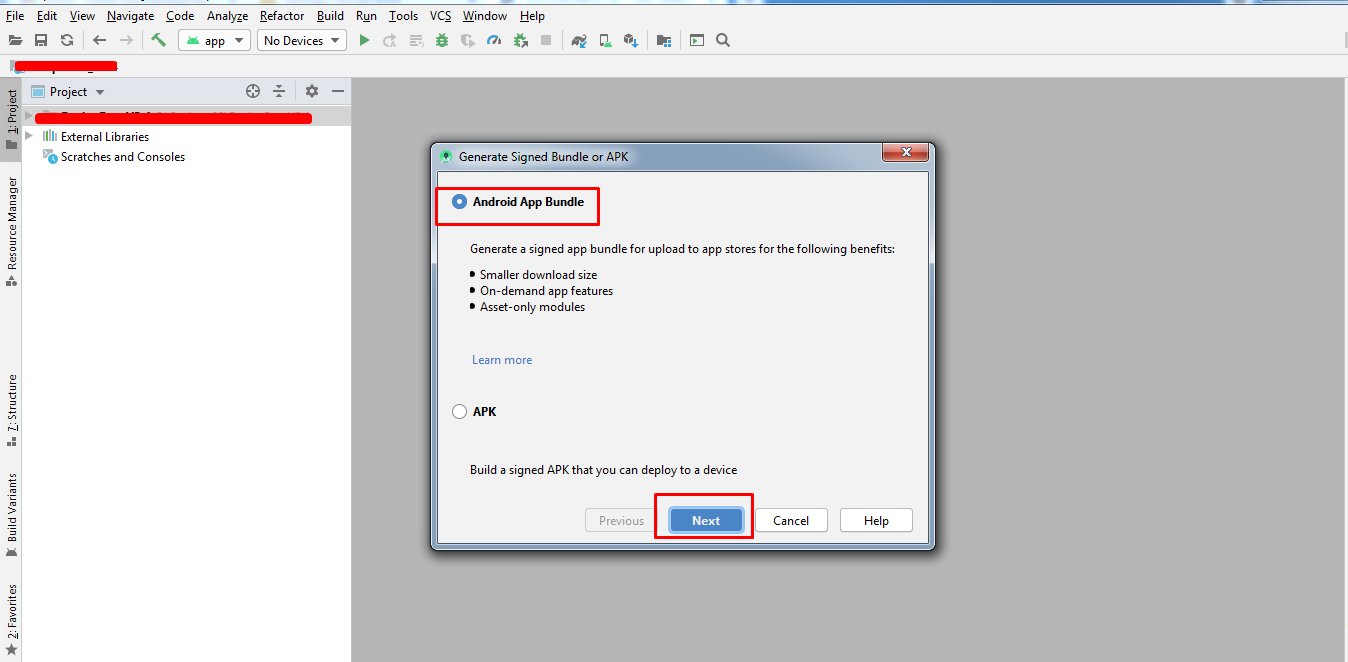
- Click On Create New or if you are updating app click choose existing
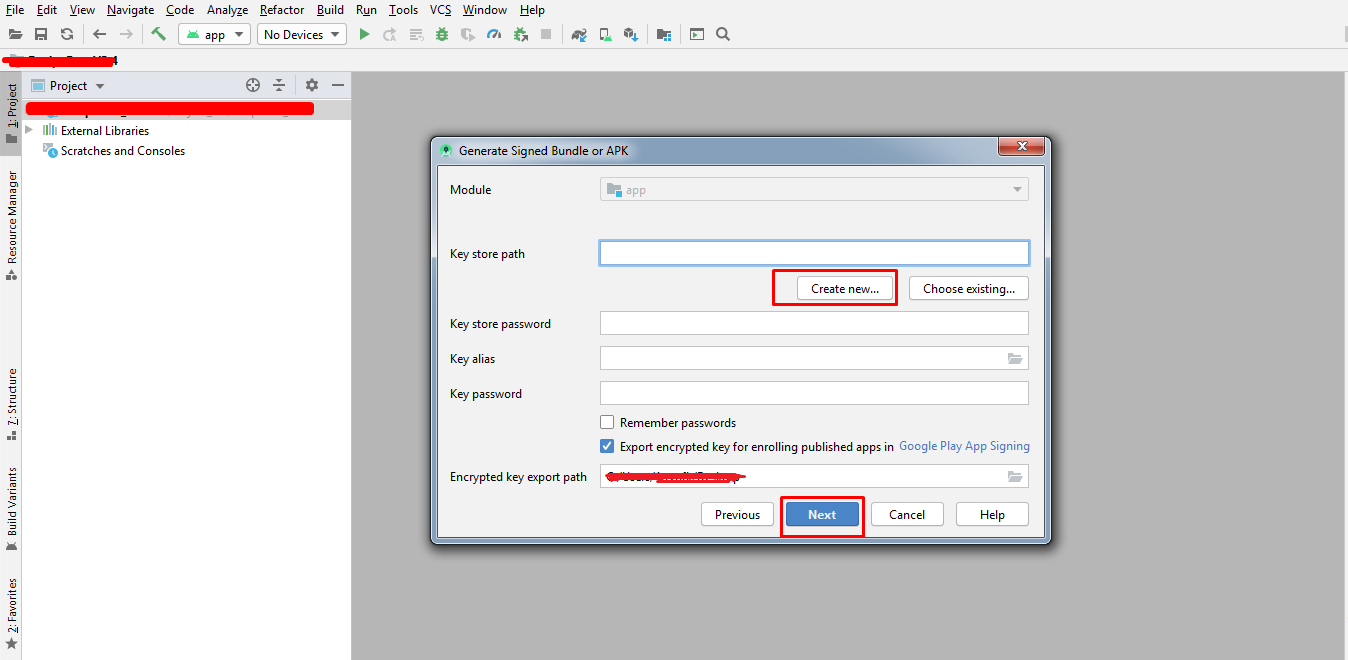
- Select Keystore Path
- Enter Keystore password and confirm password
- Enter any name for alias
- Enter key password and confirm password
- Choose Validity Years
- Fill rest of the details and click OK
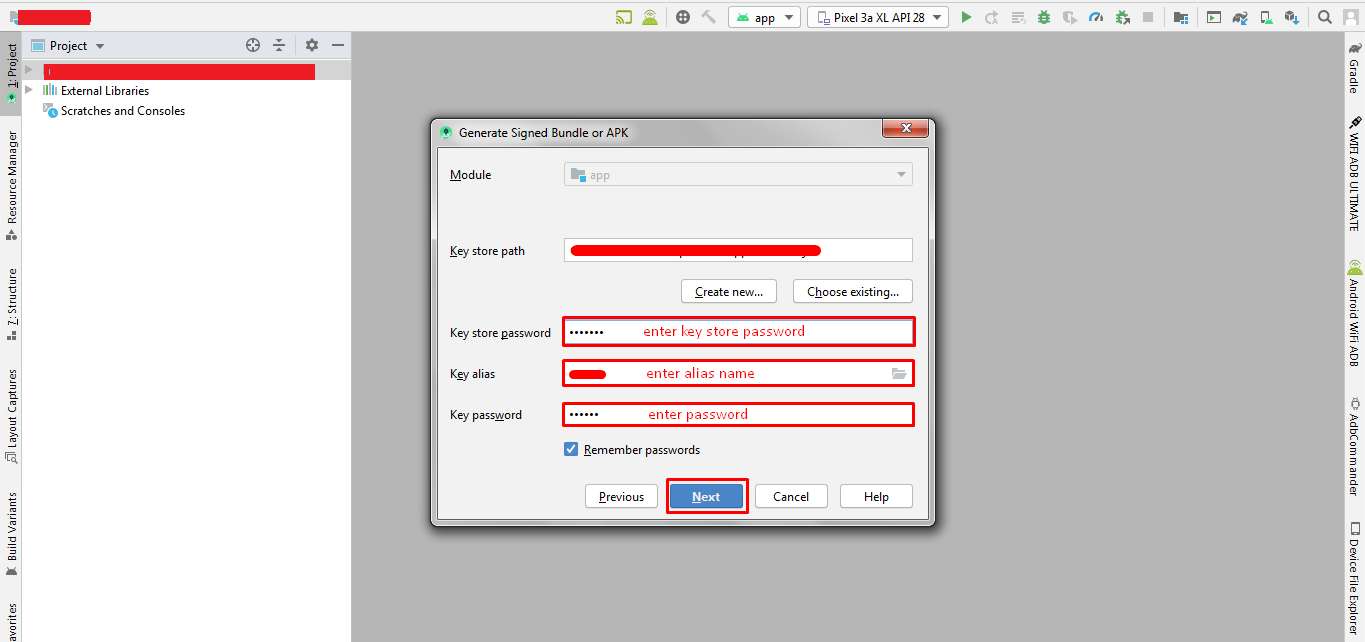
- Enter keystore password, alias name, key password and genrate encrypted key export path file and click next
- Choose the signed build destination
- Click Finish
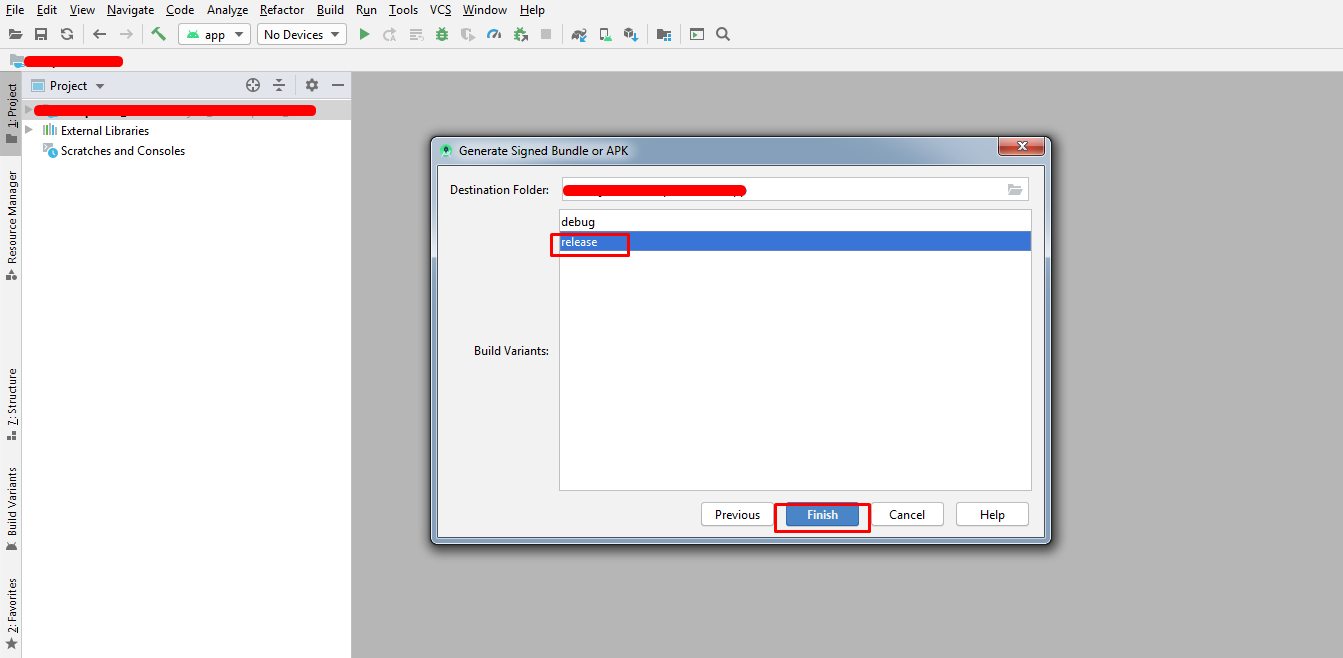
Note :- Please save the keystore and remember the keystore password, alias and key password. If you want to update app in future you have to use this keystore. With new keystore you cannot update your app
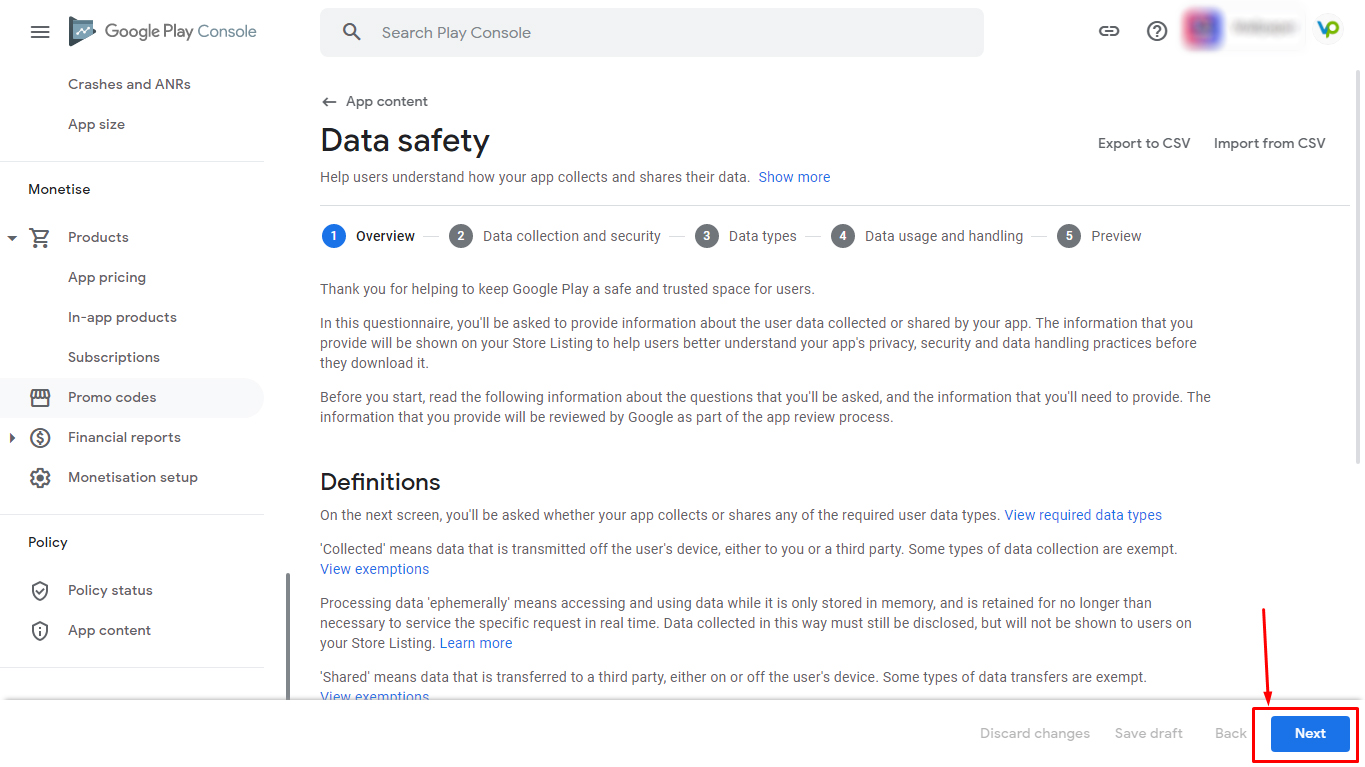
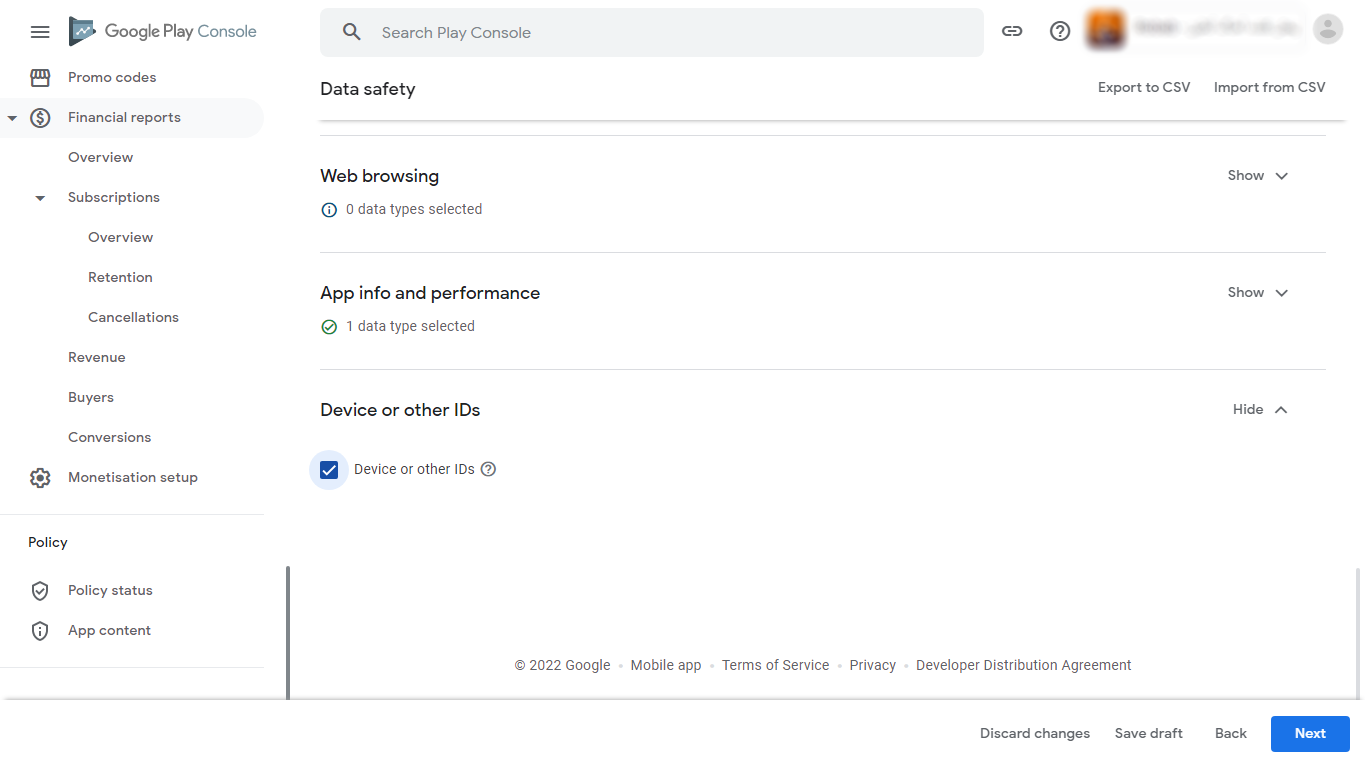
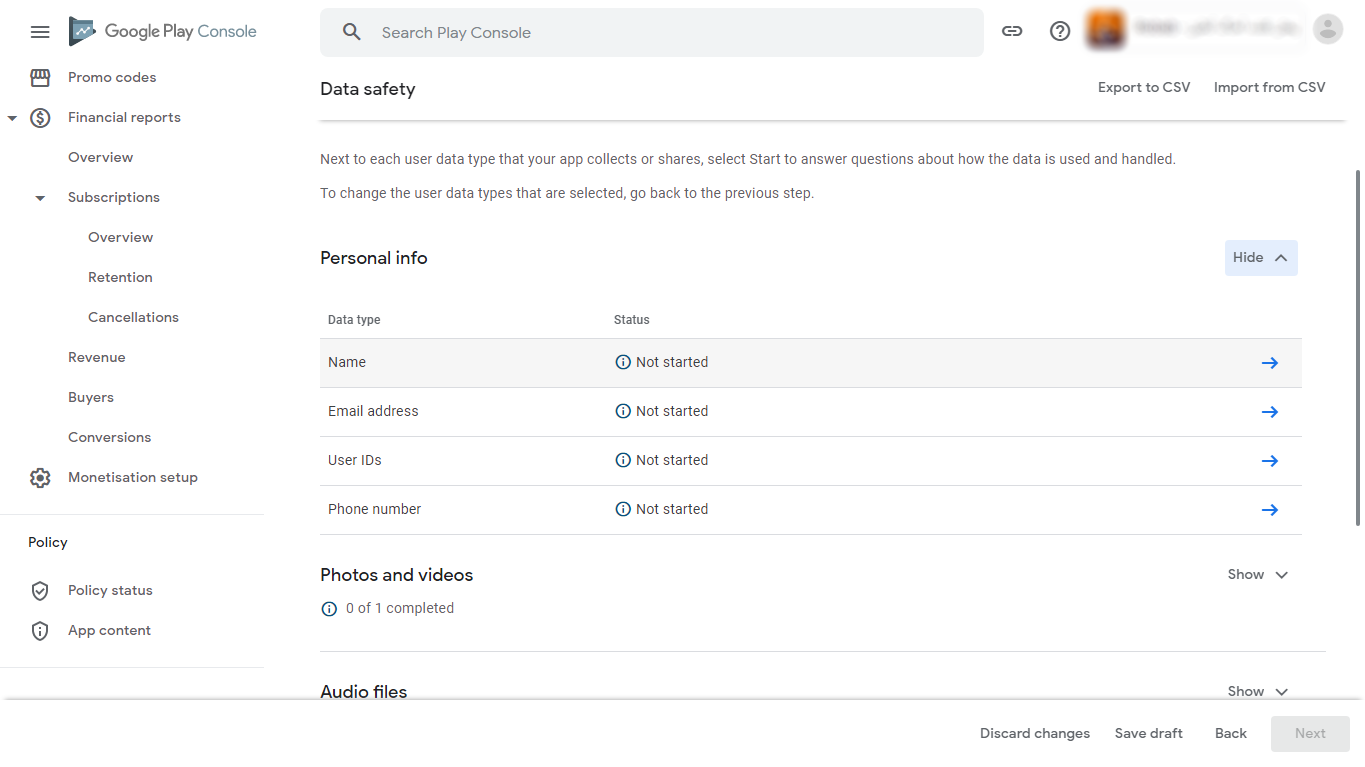
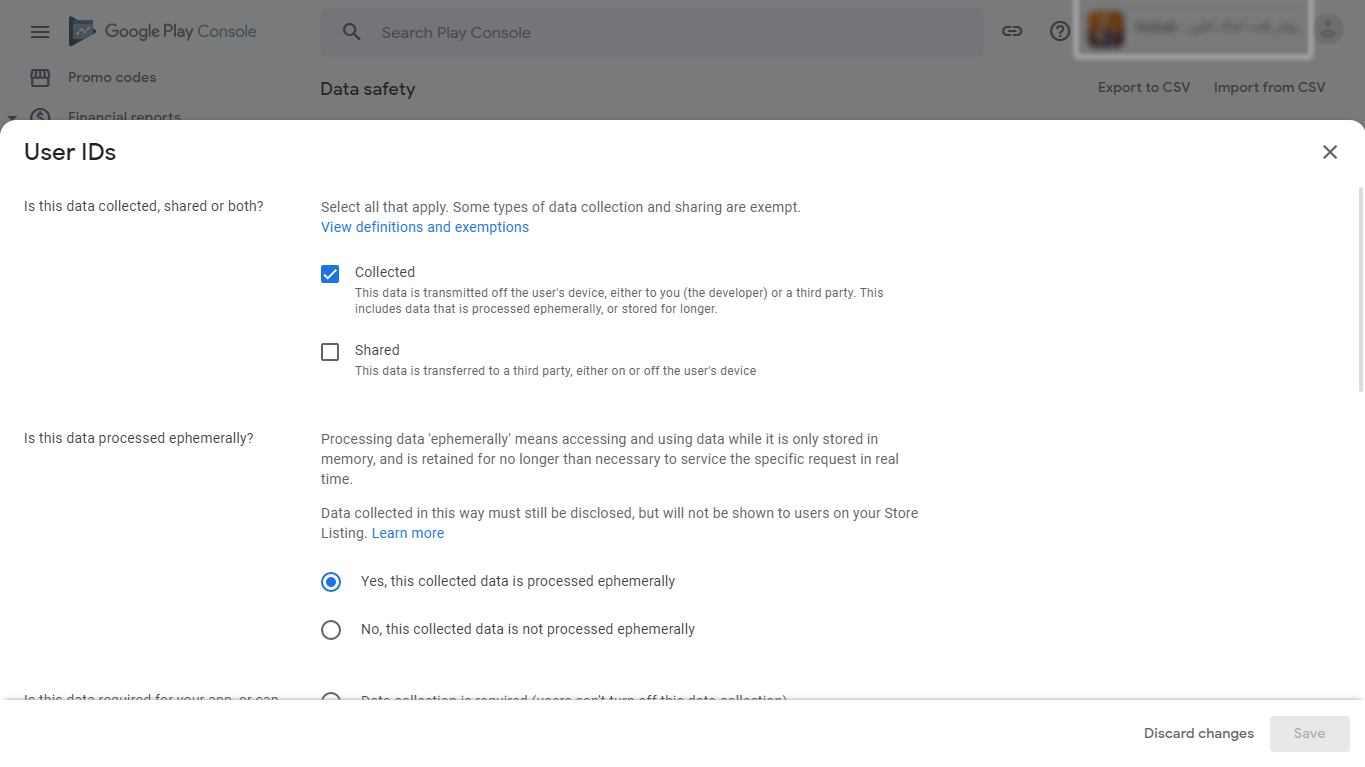
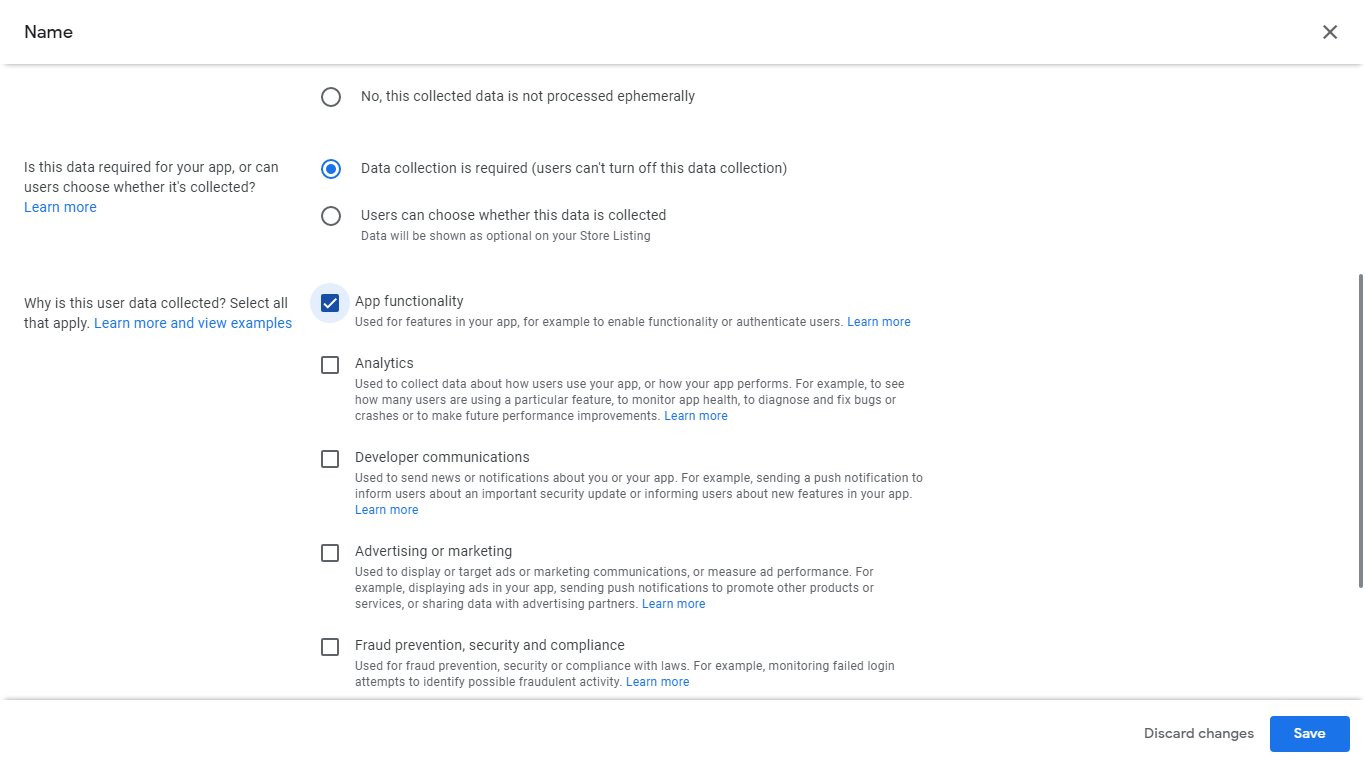
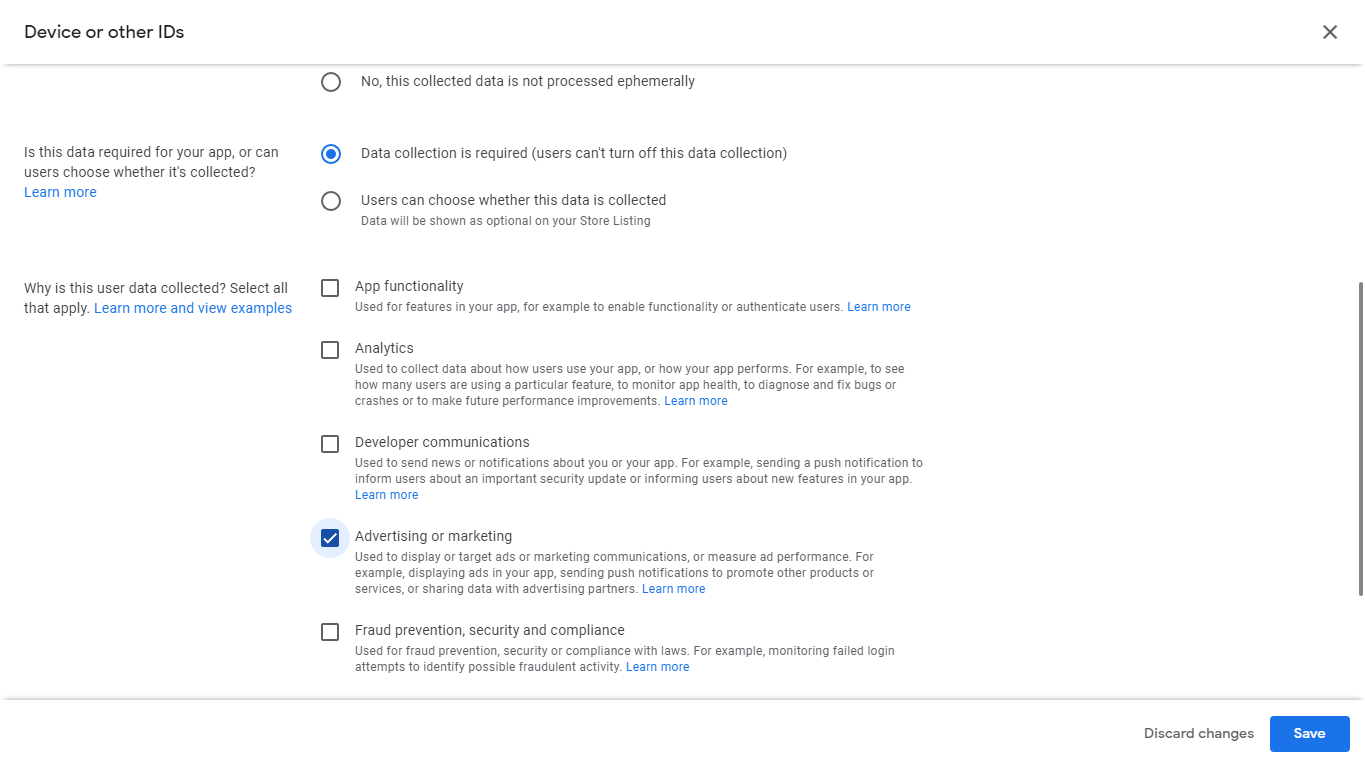
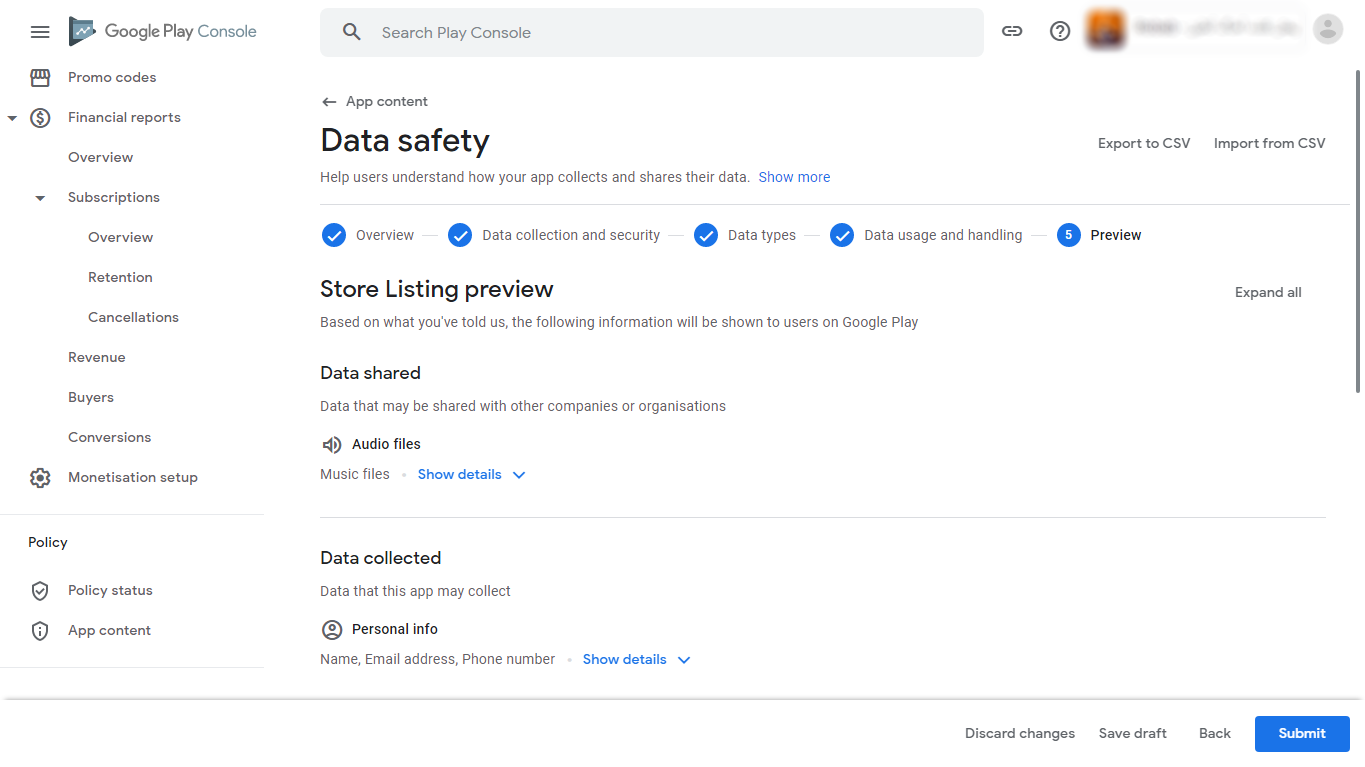
How to fill Data Safety Form?
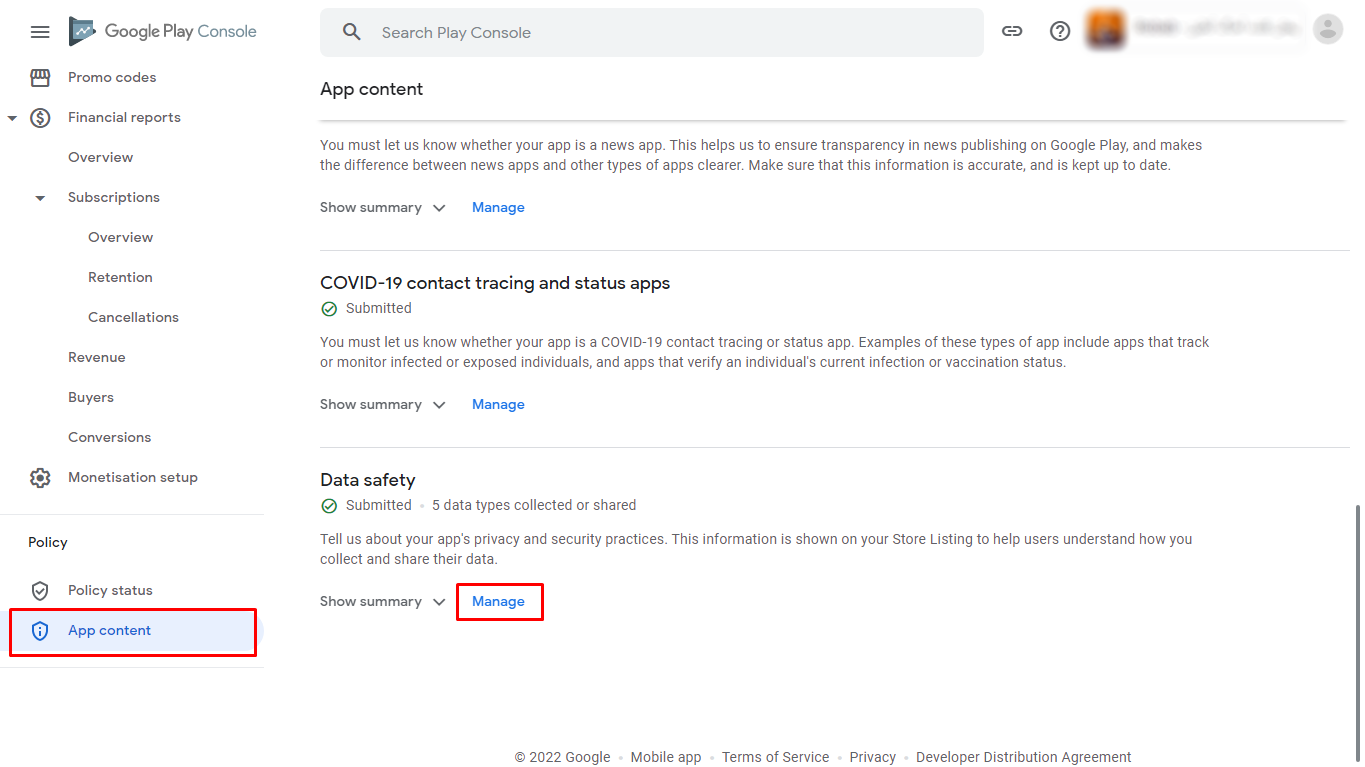
- Open Playstore Console and open your app
- Click on App Content tab
- Click on Manage option of Data safety
- Click Next
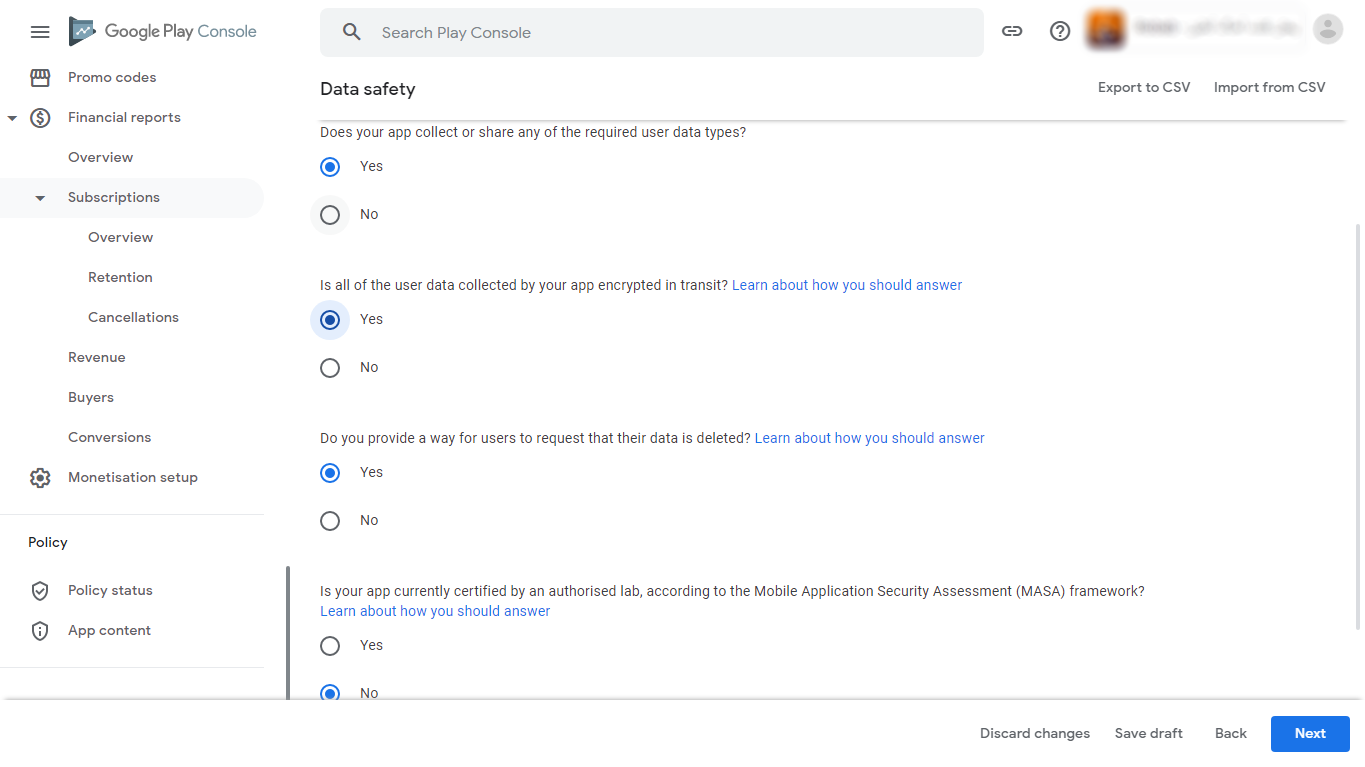
- Select options as follows and click Next
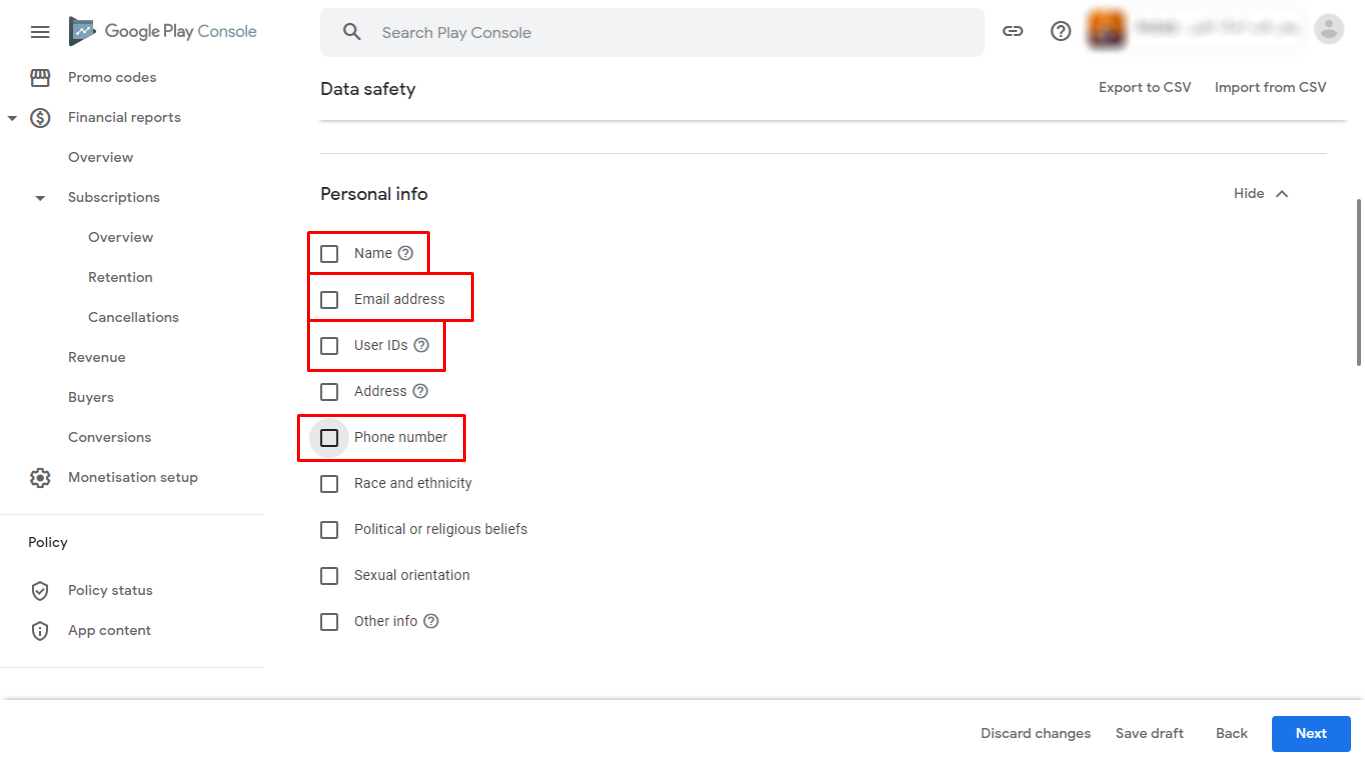
- Go to Personal info and select Name, Email address, User IDs and Phone number
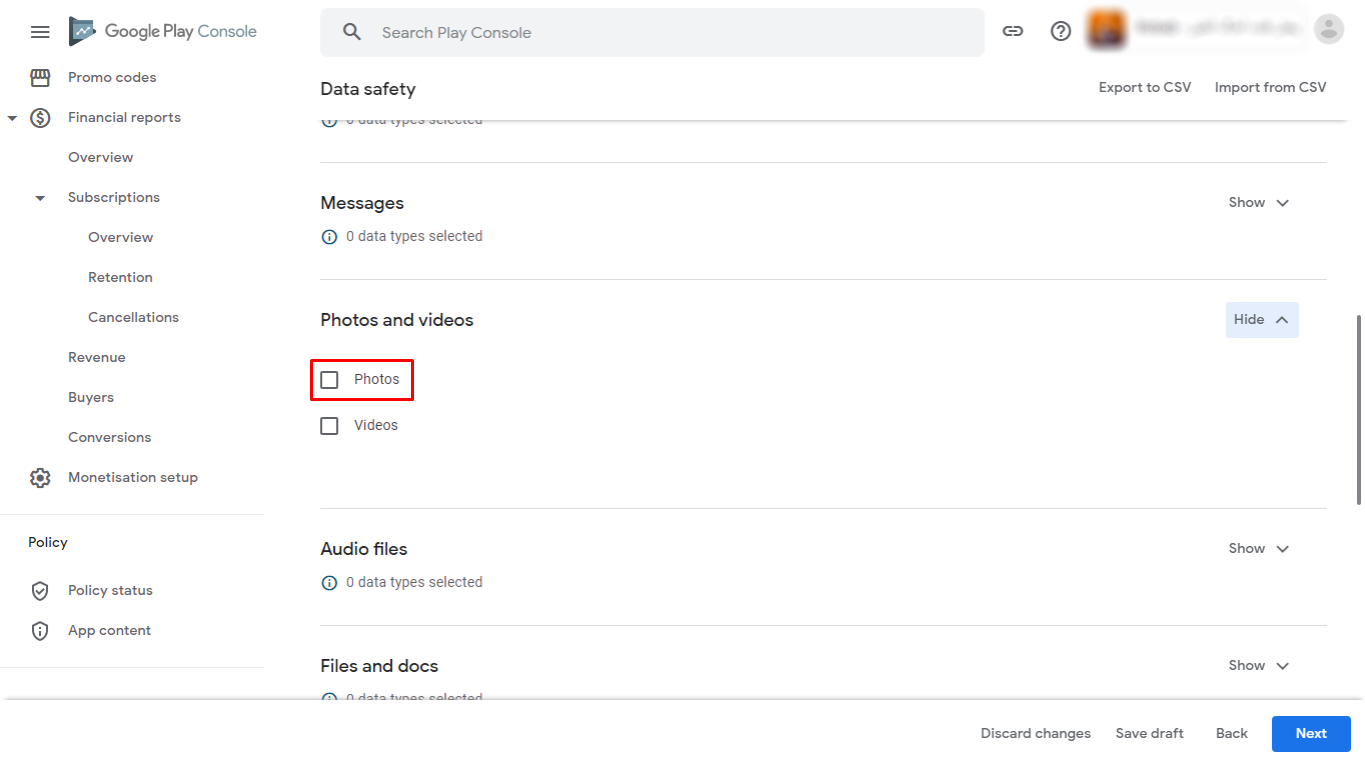
- Go to Photos and videos and select Photos
- Scroll down and go to Device and other IDs and select Device and other IDs and click Next
- Click On arrow on each data type you selected
- Select options as follows and click Save and click Next
- Do same for all other data types
- For Device and other IDs select options as follows and click Save and click Next
- Click Submit
Change App all graphics
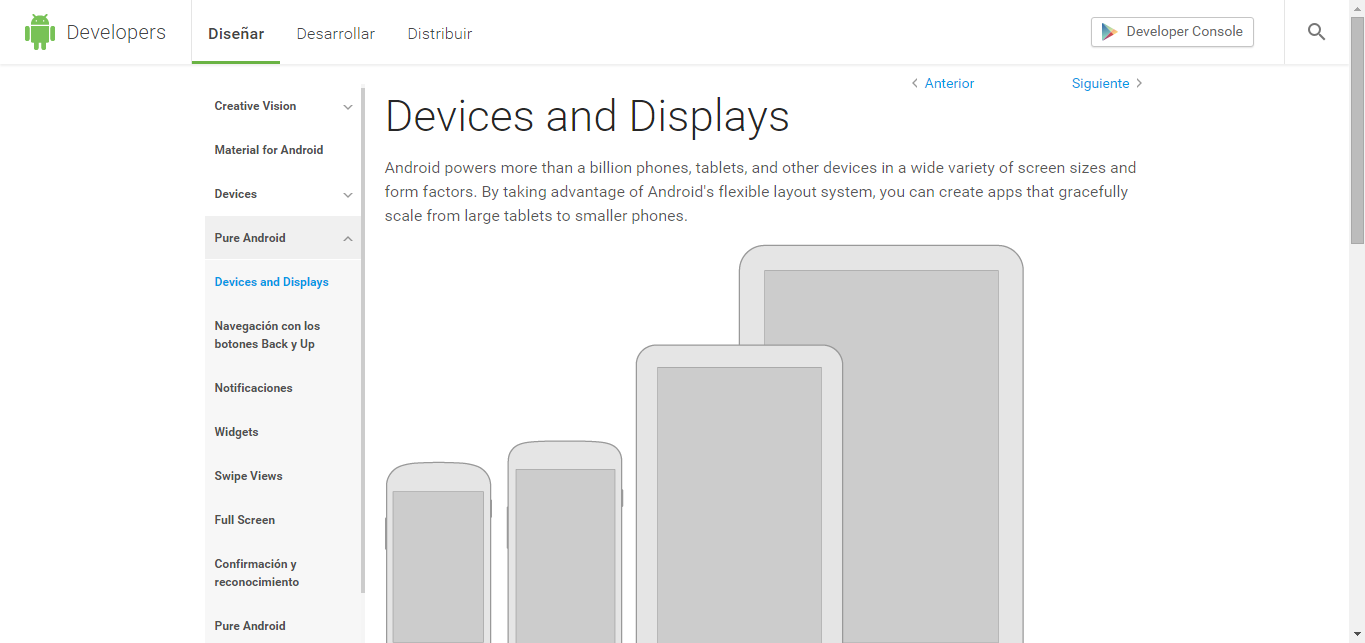
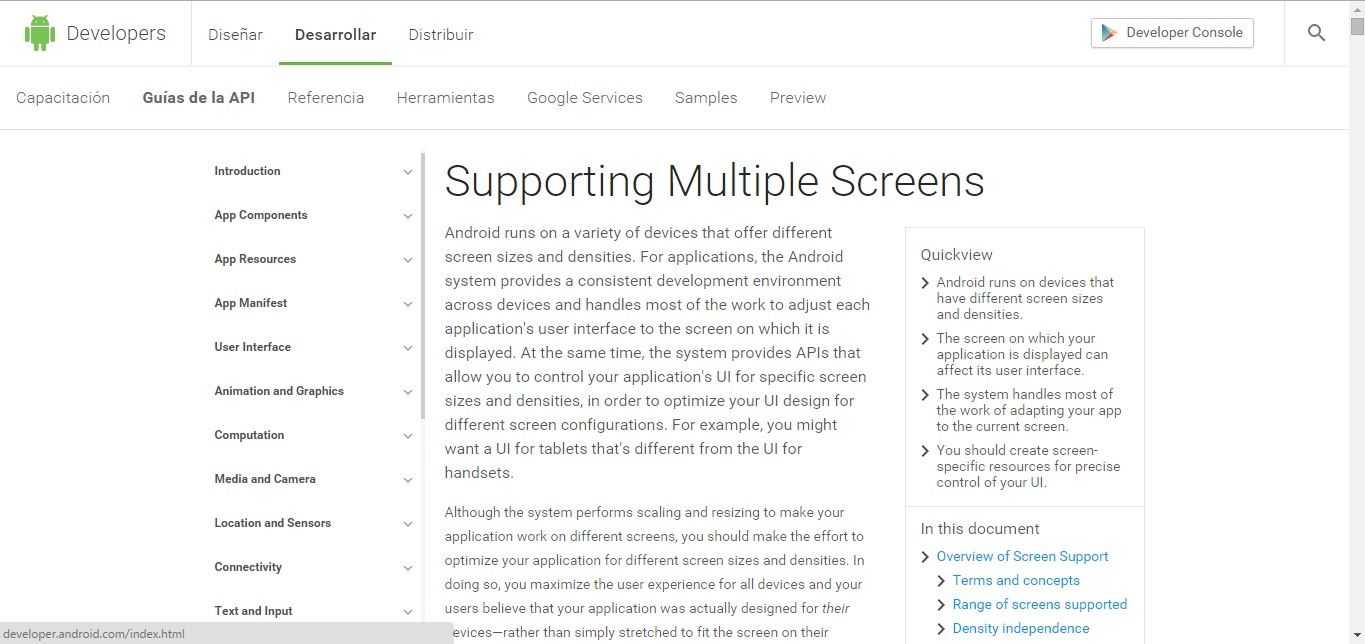
You will find all image into /res/drawable-mdpi/,/res/drawable-hdpi/,/res/drawable-xhdpi/ folder. Just create your own graphics and replace those files. Create seperate graphics of different device screen sizes & place them into other drawble folders (drawable-hdpi & drawable-xhdpi) with same file name found at drawable-mdpi folder. Check here for more information: Devices and Displays & Supporting Multiple Screens.
Application Showcase in PlayStore
Once you will publish your app to Google Play or any other Android store, send us your app link. We will happy to showcase your app into our website & Codecanyon page.
Rating
If you like our app, we will highly appreciate if you can provide us a rating of 5. You can rate us from your Codecanyon Menu > Download page.